

If you publish videos, podcasts, blogs, graphics, or social content regularly, the hard part in 2026 is not finding AI tools. It is choosing the ones that actually save time without flattening your creative voice.
This guide covers the AI tools worth paying attention to, what each one does best, and how to combine them into a workflow that helps you move from idea to publishable content faster.
Why creators need a workflow, not just more tools
The biggest mistake creators make with AI is stacking too many apps without deciding what each one is supposed to do.
That usually leads to:
- Too much switching between tools
- Inconsistent quality across writing, visuals, and audio
- More output, but not necessarily better content
A better approach is to build a lean AI stack around the actual stages of creation:
- Planning and ideation
- Drafting and scripting
- Visual creation and design
- Editing and repurposing
- Voice, audio, and polish
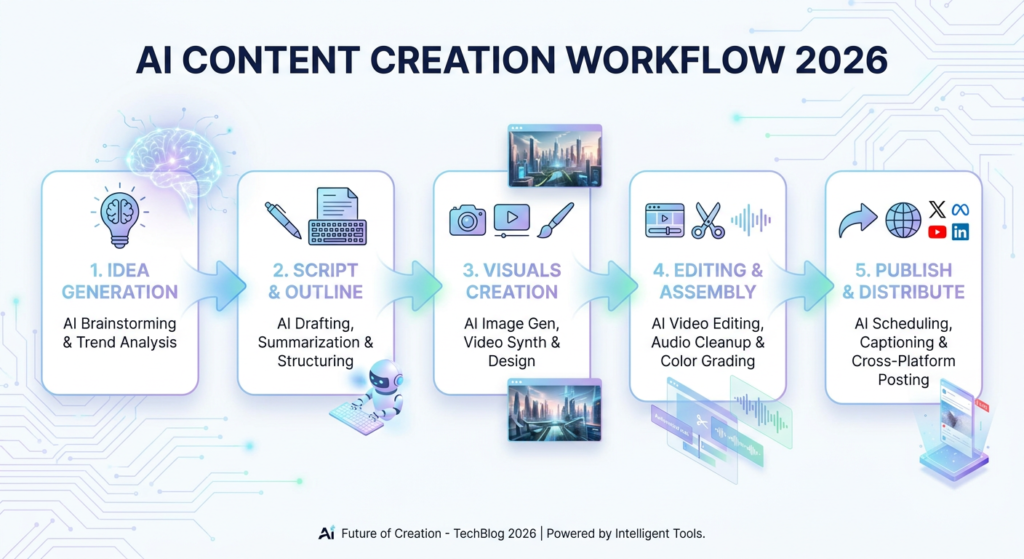
Once you think in stages, it becomes much easier to choose tools that complement each other instead of overlapping.
1. ChatGPT for brainstorming, outlining, and repurposing
ChatGPT remains one of the most flexible tools in a creator workflow because it helps before, during, and after production.
It is especially useful for:
- Generating angles from a broad topic
- Building blog post outlines and video scripts
- Rewriting long-form content into short social posts
- Creating hooks, titles, and headline variations
- Turning rough notes into structured first drafts
The biggest advantage is range. One content idea can quickly become:
- A YouTube outline
- A blog post draft
- A LinkedIn summary
- Three short-form clip hooks
That kind of repurposing can save a lot of time when you are publishing across multiple platforms.
Official site: ChatGPT for ideation, drafting, and content repurposing.
Best for
- Solo creators who need speed
- Marketers repurposing one idea into multiple formats
- Writers who want help structuring messy ideas
2. Runway for fast video creation and AI-assisted editing
Video creators are under pressure to publish faster, test more ideas, and keep quality high. Runway stands out because it helps bridge the gap between concept and execution.
Useful strengths include:
- Generating visual concepts from prompts
- Creating stylized b-roll without a full shoot
- Removing backgrounds or unwanted objects quickly
- Speeding up repetitive editing tasks
- Prototyping visual ideas early in production
Runway does not replace editing taste or storytelling. What it does do is reduce the amount of manual setup required to test and build visual ideas.
Official site: Runway for AI video generation and editing workflows.
Best for
- YouTubers testing new visual formats
- Creative teams making pitch videos quickly
- Editors who want to reduce repetitive production work
3. Descript for editing spoken content without friction
If your content includes podcasts, interviews, webinars, tutorials, or talking-head videos, Descript is still one of the most practical tools available.
Its biggest advantage is simple: it makes spoken content easier to edit.
Useful strengths include:
- Transcript-based editing
- Fast removal of filler words and awkward pauses
- Quick caption generation
- Repurposing long recordings into clips
- Support for screen recordings and voice-led content
Instead of spending too much time hunting through a timeline, you can make many edits directly from the transcript.
Official site: Descript for transcript-based editing, captions, and repurposing.
Best for
- Podcasters
- Coaches and educators
- Teams publishing interviews, webinars, or tutorials
4. Canva for fast design at publishing speed
Not every creator or team needs a custom design process for every asset. Sometimes the real need is strong visuals that are clean, on-brand, and ready quickly.
That is where Canva still delivers in 2026.
It is especially useful for:
- Thumbnails
- Social graphics
- Presentation slides
- Simple lead magnets
- Repeatable branded templates
Canva works best when you use AI to speed up production, not to make every creative decision for you.
Official site: Canva for fast design production, templates, and branded content assets.
Best for
- Small teams without a dedicated designer on every piece of content
- Social media managers
- Creators who need quick, repeatable visual systems
5. Adobe Firefly for brand-safe visual ideation
When you need more visual control, Adobe Firefly is worth considering, especially if your team already works inside Adobe products.
Strong use cases include:
- Mocking up campaign visuals quickly
- Creating concept art for pitches or storyboards
- Expanding backgrounds or adjusting image elements
- Generating multiple visual directions for review
Firefly works best as an accelerator for concept development. It helps you explore options quickly, while the final quality still depends on strong human selection and editing.
Official site: Adobe Firefly for AI-assisted image generation and visual ideation.
Best for
- Designers already working in Adobe workflows
- Creative directors exploring options fast
- Teams that need concept visuals before full production
6. ElevenLabs for voiceovers and audio flexibility
Audio still has a huge impact on how polished content feels. Great visuals can lose momentum fast if the narration sounds inconsistent, flat, or rushed.
ElevenLabs is useful when you need:
- Fast voiceover drafts
- Multiple pacing or tone options
- Scratch narration before final recording
- Alternate versions for different formats or audiences
- Voice support when you do not have a full recording setup
This makes it especially useful for explainers, product walkthroughs, educational clips, and prototype content.
Official site: ElevenLabs for AI voice generation, narration, and audio experimentation.
Best for
- Video creators producing explainers
- Teams testing scripts before final narration
- Creators who need flexible voiceover options on short timelines
How to choose the right AI stack for your workflow
The best AI tool is rarely the one with the longest feature list. It is the one that removes a real bottleneck in your process.
If you create video-first content
A practical stack might be:
- ChatGPT for outlines and scripting
- Runway for visuals and editing support
- Descript for captions and spoken edits
- Canva for thumbnails and promo assets
If you create podcast or education content
A practical stack could be:
- ChatGPT for outlines, summaries, and repurposing
- Descript for transcript cleanup and editing
- ElevenLabs for narration tests or alternate voice tracks
- Canva for episode graphics and social snippets
If you create branded design content
A strong stack might be:
- ChatGPT for campaign messaging and strategy drafts
- Adobe Firefly for concept visuals
- Canva for distribution-ready assets
- Runway for motion or video extensions when needed
What makes an AI tool worth keeping in 2026?
As more platforms add AI features, creators need a simple filter for deciding what stays in the workflow.
A tool is usually worth keeping if it does at least two of these things:
- Saves time on a task you repeat every week
- Improves consistency across multiple content formats
- Reduces friction in editing or publishing
- Helps you create better first drafts, not just more drafts
- Fits naturally into tools you already use
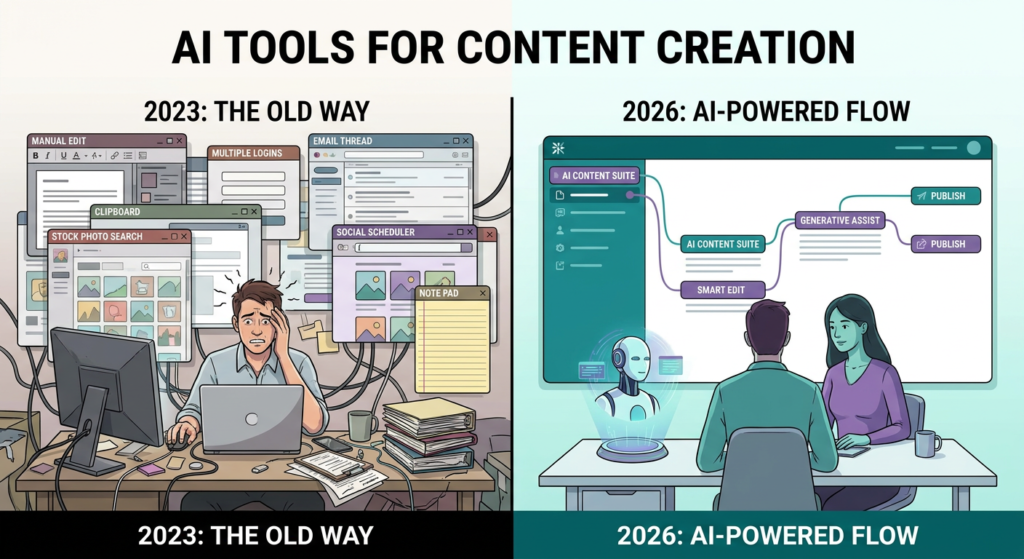
If a tool creates extra cleanup work, adds confusion, or produces content you would never publish, it is probably noise instead of leverage.
Final thoughts
The best AI tools for content creators in 2026 are not necessarily the flashiest ones. The most valuable tools are the ones that help you move from idea to publishable content with less friction and better consistency.
Start small. Pick one tool for planning, one for production, and one for polish. Then test whether they genuinely improve your workflow over a few weeks.
The goal is not to automate your creative voice away. The goal is to protect your time so your best ideas have more room to grow.
Key takeaways
- Build your AI stack around workflow stages, not hype
- Use ChatGPT for ideation, Runway for video workflows, Descript for spoken editing, Canva and Firefly for visuals, and ElevenLabs for voice
- Keep tools that reduce friction and improve consistency
- Expand your stack only when a real bottleneck appears
Next step: Audit your workflow and identify the most repetitive or frustrating part of the process. That is usually the best place to test your next AI tool.